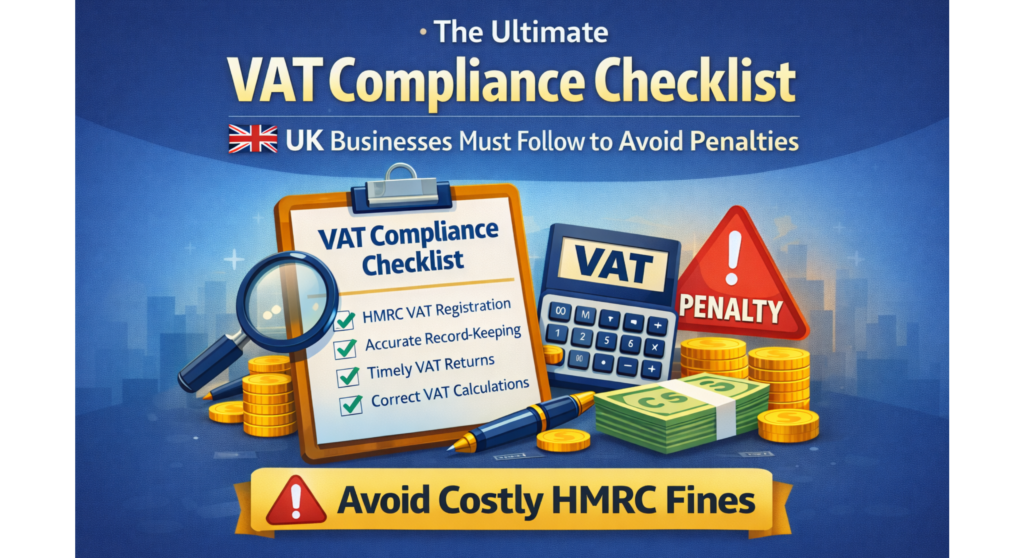
Are you spending hours on VAT returns when you could save time with digital tools? This is crucial, especially for UK businesses under Making Tax Digital (MTD) rules.
Choosing vat-ready accounting software is key for UK businesses. Moving from paper to digital isn’t just about rules. It changes how you handle finances daily.
Many business owners find it hard to pick the right accounting software. You face many choices, from systems to pricing and features. Making the right choice avoids costly mistakes and fines.
The best vat-ready accounting software does more than follow rules. It automates tasks, cuts down errors, and offers clear financial insights. You’ll do less paperwork and feel sure about your VAT submissions.
This guide covers everything you need to know. You’ll learn about legal duties, key features, and how to find the right software for your business. By the end, you’ll be ready to pick software that supports your growth and keeps records ready for audits.
Understanding Making Tax Digital and Your Business Obligations
Making tax digital is a big change for businesses in the UK. It means keeping tax records digitally and submitting VAT returns online. Knowing these rules helps avoid fines and keeps your business in good standing.
The UK government wants to make tax easier and less prone to mistakes. Now, businesses must use digital tools for VAT compliance. It’s key to understand this for your business’s health.
What Making Tax Digital Means for Your Business
Making tax digital changes how you handle financial data. You need to keep records digitally, not just in spreadsheets. This rule applies if your VAT turnover is over £85,000 in a year.
Your records must link transactions, invoices, and VAT calculations clearly. Digital tools help you send VAT returns to HMRC online. This reduces mistakes and saves time.
- Record all transactions digitally
- Maintain an audit trail of all changes
- Submit VAT returns electronically to HMRC
- Keep records for at least six years
HMRC Requirements for Digital Record-Keeping
HMRC has strict rules for digital records. You need to keep purchase and sales invoices, and supporting documents. These must be in approved digital tools or accounting software.
Spreadsheets alone are not enough for tax digital compliance. HMRC wants records that show all changes. Your records must be easy to access and read for six years.
| Record Type | Retention Period | Digital Format Required |
|---|---|---|
| Sales invoices | Six years | Yes |
| Purchase invoices | Six years | Yes |
| Bank statements | Six years | Yes |
| VAT returns | Six years | Yes |
Penalties for Non-Compliance with MTD
HMRC is strict about making tax digital. Not keeping proper records or submitting VAT wrong can cost you money. The fines get worse if you keep making mistakes.
Missing VAT deadlines can cost 5-10% of the tax owed. Wrong records or VAT calculations also have fines. Not following the rules can even lead to legal trouble.
- Late submission penalties: 5-15% of the tax due, depending on how late
- Late payment penalties: Additional charges for overdue VAT payments
- Inaccuracy penalties: 20-100% of understated tax for careless or deliberate errors
- Failure to keep digital records: Up to £3,000 per quarter
Using digital tools for tax helps avoid fines. Being proactive shows you’re serious about following HMRC rules. Good accounting software makes your life easier and saves time.
Key Features to Look for in VAT-Ready Accounting Software
Choosing the right accounting software is crucial for VAT compliance. Your business needs tools that do more than just bookkeeping. They must handle complex tax calculations automatically and accurately.
When looking at vat calculation software, focus on key features. These features make a big difference between good and great tools:
- Automated VAT rate application across different transaction types
- Digital record-keeping with complete audit trails for HMRC requirements
- Support for multiple VAT schemes, including Standard, Cash Accounting, Annual Accounting, and Flat Rate options
- Real-time VAT liability calculations displaying your current tax position
- Comprehensive reporting features for transaction reviews and error identification
- VAT reconciliation tools match your accounts against HMRC records
- Reverse charge VAT handling for business-to-business transactions
- EU VAT compliance capabilities if you trade internationally
Your vat calculation software should apply tax rates automatically. This avoids errors and keeps you in line with HMRC. It also lets you see your VAT liability in real-time, helping with business planning.
Good vat calculation software turns data into useful insights. It creates detailed VAT reports. These reports help you check transactions and find issues before it’s too late. This saves time during reviews and reconciliations.
Think about if your business uses different VAT schemes or trades internationally. Top vat calculation software handles these complexities well. It supports various accounting methods based on your business and trading patterns.
Evaluating HMRC-Approved Accounting Systems
Choosing the right accounting software is more than just looks. Your business needs systems that meet HMRC requirements and fit your processes. Not all “tax ready” software is the same. Knowing the differences helps protect your business and reduce your workload.
There are different types of solutions. Some offer full functionality, while others bridge your current tools to HMRC. Choosing the right approach saves time and money.
How to Verify HMRC Approval Status
Check the official HMRC software supplier list before buying any accounting package. This list shows which products meet HMRC’s Making Tax Digital standards. Visit the HMRC website and search for your chosen software by name.
When evaluating vendors, ask these important questions:
- Can you provide proof of current HMRC approval or certification?
- What specific MTD requirements does your software handle?
- How frequently do you update the system for HMRC changes?
- What happens if HMRC updates its rules or specifications?
- Do you offer ongoing compliance support and training?
Request documentation showing HMRC recognition. Reputable vendors provide certificates, compliance statements, or links to their HMRC listing. This proves their commitment to tax regulations.
The Difference Between Compatible and Bridging Software
There are two main categories. Compatible software handles everything in one place. This is good for businesses wanting simplicity and integrated workflows.
Bridging software for making tax digital connects your current systems to HMRC. You keep using familiar tools while meeting digital submission requirements. This option is great for businesses already using spreadsheets.
| Feature | Compatible Software | Bridging Software |
|---|---|---|
| All-in-one platform | Yes | No |
| Works with spreadsheets | No | Yes |
| Reduced data entry | Yes | Partial |
| Learning curve | Moderate | Minimal |
| Implementation speed | Slower | Faster |
Bridging software for making tax digital is quick to implement. It lets you keep using established processes. The trade-off is managing records in one system and then using bridge software to submit data to HMRC.
Consider vendor stability and update schedules. Reliable suppliers keep up with HMRC compliance changes. Poor support risks your business’s compliance. Always check that your chosen hmrc-approved accounting system provider offers consistent updates and good customer service.
Cloud-Based vs Desktop Accounting Solutions for VAT
Choosing between cloud-based and desktop accounting for VAT changes how you handle taxes. It affects how easy it is to access your data, the cost, security, and meeting HMRC rules. Knowing the differences helps pick the best system for your business.
Cloud-based accounting uses the internet or mobile apps. Your financial data is stored on servers by the software company. Desktop solutions install on your computer, keeping data on your hard drive or network. This choice affects how you work and keep your records safe.
Advantages of Cloud-Based Accounting Systems
Cloud-based accounting for VAT is great for today’s businesses. You can access your accounts from anywhere with internet. Automatic updates keep your system up-to-date with VAT rules without you doing anything.
Working together becomes easy. Your accountant or bookkeeper can see the same info at the same time. This reduces mistakes and delays. Your data is safe with automatic backups. You can grow your business without buying new software.
- Access your records anytime, anywhere
- Automatic compliance updates for VAT regulations
- Built-in data protection and backups
- Easy integration with other business tools
- Real-time financial visibility
Benefits of Desktop Accounting Solutions
Desktop software has its own perks. You pay once and don’t have ongoing fees. It works without the internet, but you can’t access it from everywhere. You control your data on your computer.
It’s good for businesses with simple taxes and don’t need to work from home. It seems cheaper at first. You don’t worry about the internet affecting your work.
- One-time purchase cost
- Works without internet connection
- Local data storage and control
- Suitable for simple VAT situations
Security and Data Protection Considerations
Cloud-based accounting is usually safer. It uses strong encryption and access controls. The provider’s team watches for threats and keeps your data safe.
Desktop software depends on your local security. You must back up your data yourself. Your computer’s security is up to you and your internet safety.
| Feature | Cloud-Based Accounting | Desktop Accounting |
|---|---|---|
| Data Encryption | Professional-grade encryption standard | Depends on your security setup |
| Automatic Backups | Daily automatic backups included | Manual backups required by user |
| Remote Access | Access from anywhere globally | Limited to network or VPN |
| Software Updates | Automatic compliance updates | Manual updates required |
| Disaster Recovery | Professional recovery systems | Your responsibility to arrange |
Addressing Common Concerns
Worries about cloud-based accounting’s data privacy are valid. But, trusted providers follow strict data protection laws. Your financial info is as safe as bank data.
Concerns about internet reliability are lessened when you see how many UK businesses use cloud services. While you rely on the provider, you can still move your data if needed. Desktop solutions have risks like data loss, security breaches, and compatibility issues with HMRC rules.
Your business size, growth plans, and how you work determine the best choice. Small businesses with simple VAT can do well with either. Growing companies and remote teams often prefer cloud for its scalability and real-time updates.
Automated VAT Returns: Benefits and Functionality
Automated VAT returns change how you handle taxes. They use modern accounting software to cut down on manual work. This makes your VAT process smoother and more accurate, giving you more time for your business.
Switching to digital from paper has big benefits. Your business gets to see VAT in real-time, lowers risk, and meets HMRC deadlines easily.
How Automated VAT Calculation Works
Automated VAT returns use smart sorting of your transactions. The software knows which invoices have VAT and applies the right rates.
Your accounting system keeps track of running totals all period. It separates input VAT from purchases and output VAT from sales. This way, you always know your VAT liability without waiting for the end of the period.
It also checks for errors before you submit. It spots unusual patterns, missing info, or inconsistencies that could lead to HMRC questions. This helps avoid costly mistakes.
- Transaction categorisation by VAT status
- Automatic rate application across invoice types
- Real-time input and output VAT tracking
- Net position calculations throughout the period
- Error detection and validation checks
Time-Saving Advantages of Digital Tax Submission
Preparing VAT returns used to take hours, but now it takes just minutes. Automated VAT returns cut out the need for tedious spreadsheets and manual checks.
Your team can focus on strategy instead of paperwork. The software can even remind you of deadlines and submit returns for you, taking away the stress.
| Task | Manual Process | Automated VAT Returns |
|---|---|---|
| VAT calculation | 2-3 hours | 5-10 minutes |
| Error checking | 30-45 minutes | Automatic |
| Return compilation | 45-60 minutes | Instant |
| HMRC submission | 15-20 minutes | Automated |
| Total time per quarter | 4-5 hours | Under 15 minutes |
Automation means fewer mistakes. With less manual work, there’s less chance of errors. This protects your business from fines and investigations. Automated VAT returns also keep your records consistent, making your financial documents reliable.
Assessing Your Business Size and VAT Complexity
Choosing the right mtd-compatible bookkeeping software starts with knowing your business needs. Your company’s size and VAT situation are key. Software that’s too simple might limit your growth and compliance. On the other hand, software that’s too complex can be expensive and confusing.
- Annual turnover and revenue levels
- Number of transactions processed monthly
- Team size and employee count
- Expected growth trajectory over the next two to three years
Understanding your VAT complexity is also crucial. Simple VAT situations involve straightforward sales and purchases in the UK. But, complex scenarios include multiple VAT schemes, international transactions, and more. Businesses with simple VAT can do well with basic software. Those with complex VAT need advanced platforms with detailed reporting.
| Business Category | Annual Turnover | Recommended Software Level | Key Features Needed |
|---|---|---|---|
| Micro | Under £85,000 | Basic mtd-compatible bookkeeping software | Simple invoicing, basic VAT tracking |
| Small | £85,000–£600,000 | Standard mtd-compatible bookkeeping software | Multi-currency support, automated VAT returns |
| Medium | £600,000–£10 million | Advanced accounting software | Multi-entity management, advanced VAT handling |
| Large | Over £10 million | Enterprise solutions | Complex compliance, multi-jurisdictional VAT |
Scalability is key. Your mtd-compatible bookkeeping software should grow with your business. Changing systems can be costly and disrupt your operations. Look for solutions that can scale with your needs without requiring a full system change.
Be honest about your current challenges. Do you find VAT calculations hard? Do international sales complicate your records? Do you struggle with managing multiple business entities? These issues help you find software with the right features. Choose based on your needs, not just price.
Integration Capabilities with Your Existing Systems
Choosing vat-ready accounting software means picking one that works well with your current tools. It should link up with your banks, payment processors, e-commerce sites, and invoicing tools. This makes data entry easier, cuts down on errors, and keeps your financial info up to date.
How well your systems work together is key. Bad connections can slow you down and lead to mistakes. Good connections, on the other hand, make your financial tasks smoother. When your vat-ready accounting software talks well with other systems, you get a clear view of your finances in real-time.
Connecting Your Bank Accounts and Payment Processors
Direct bank feeds are a must in vat-ready accounting software. They bring in your transactions automatically, saving you from manual entry. This cuts down on time and reduces the chance of errors.
Payment processors like Stripe, PayPal, and Square need to be integrated properly. Your vat-ready accounting software should handle sales, fees, and settlements correctly. Look for these important features:
- Automatic transaction categorisation
- Duplicate detection and removal
- Bank reconciliation matching
- Real-time transaction updates
- Multi-currency support for international payments
Compatibility with E-Commerce and Invoicing Platforms
If you sell online, your vat-ready accounting software must connect with your e-commerce platform. Shopify, WooCommerce, Amazon, and eBay integrations bring in sales data with the right VAT. Your stock levels update across all platforms in real-time.
Your vat-ready accounting software should also work well with invoicing platforms. This ensures your sales records are accurate and VAT-compliant. Check if your software has native integrations or uses third-party tools. Native connections usually offer faster updates and better support.
| Integration Type | Key Benefits | Setup Complexity |
|---|---|---|
| Native Bank Feeds | Real-time updates, automatic categorisation, built-in reconciliation | Low |
| Payment Processor Links | Automatic fee recording, VAT-compliant settlements, transaction clarity | Low |
| E-Commerce Platform Connectors | Automated sales import, inventory synchronisation, VAT calculation accuracy | Medium |
| Third-Party Integration Tools | Flexible connectivity, support for less common platforms, customisation options | High |
Check how often updates happen and how well data is mapped. Native integrations in vat-ready accounting software usually update faster. Good technical support is also key to solving any connection problems quickly.
Comparing Costs and Value of MTD-Compatible Bookkeeping Software
Choosing the right mtd-compatible bookkeeping software is not just about the price. Many businesses pick the cheapest option, only to find extra costs later. Knowing all the costs helps you choose software that really meets your needs.
MTD-compatible bookkeeping software has different pricing. Some charge monthly, others yearly. There are also tiered plans that cost more as you add features or users. Each type suits different business sizes.
When comparing costs, think about your total first-year investment. This includes setup, training, and integration costs, not just the subscription. Some software charges extra for more users, support, or data migration. These extra costs can add up quickly.
Don’t just look at the price. Think about the real value:
- Time saved with automated VAT and submissions
- Less errors with digital processing
- Better cash flow for smarter decisions
- Easier work with your accountant or bookkeeper
- Scalability for your business growth
Ask for free trials or demos before you decide. Find out what each price tier includes, like transaction limits and support. Knowing this helps you compare fairly. Changing systems later can be costly, so make sure you choose well.
Conclusion
Choosing the right VAT-ready accounting software is more than just following rules. It affects how your business operates every day. You’ve learned about making tax digital compliance, key features, and how to compare different options. The software should match your business size, budget, and future plans.
Making tax digital is now a must for most UK businesses. Your software must meet HMRC standards and handle VAT returns accurately. Platforms like Xero, FreeAgent, and Sage 50 have different strengths. Some are better for small traders, while others are for bigger businesses with complex needs.
Take your time to choose the right one. Compare costs and the value each system offers. Your accountant or financial adviser can help, giving advice that fits your business.
The right accounting software is a valuable partner for your business. It reduces stress during VAT returns and gives you a clear view of your finances. It saves you time by integrating with your bank, e-commerce, and invoicing tools.
Investing in good accounting software is worth it. It helps you make better decisions with real data. This investment goes beyond just tax filing.
Your next step is clear. Make a list of your business needs and the features you want. Try free trials to see how they work. Make sure any software you choose is HMRC-approved.
Once you’ve narrowed your options, talk to your accountant. They can help you find the best fit. Making tax digital doesn’t have to be hard. With the right tools, it supports your business growth.